Plugins
A plugin is a self-contained feature that can be turned on and off. Experimental features and features used by only a few people are provided this way. Plugins are toggled in Settings > Plugins > Installed (→ Settings).
Switchable plugins
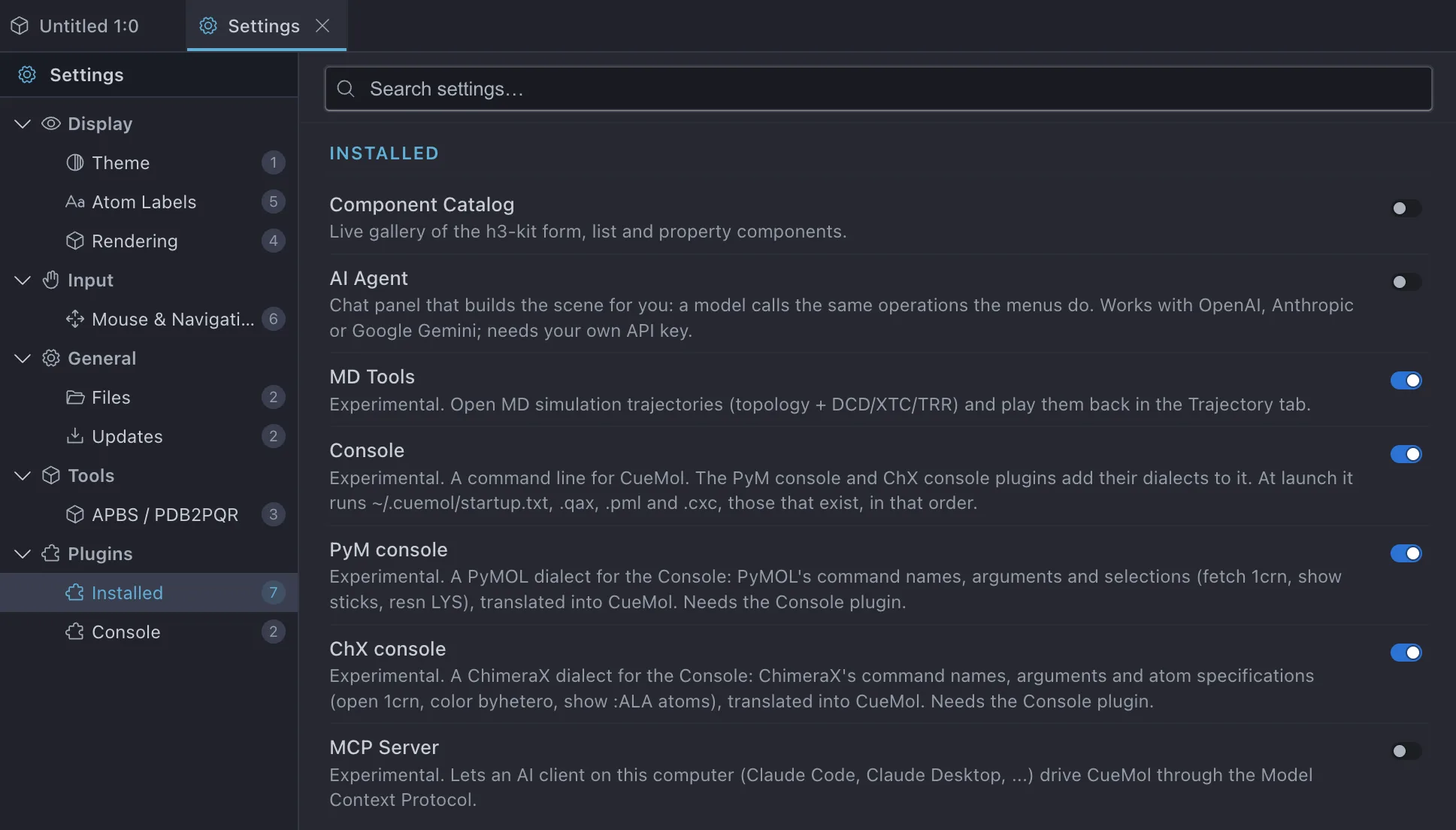
| Plugin | Description | Default | What is added when enabled |
|---|---|---|---|
| AI Agent | A chat panel that builds a scene from instructions written in text. It uses OpenAI, Anthropic, and Google (Gemini) models; you provide your own API key | OFF | The AI Agent view in the activity bar and the Plugins > AI Agent page in Settings (→ AI Agent) |
| MD Tools | Opens and plays MD simulation trajectories (topology + DCD / XTC / TRR) | OFF | File > Open MD Trajectory... and the Trajectory tab in the bottom panel |
| Console | A command line that runs CueMol operations as commands. PyM console is also available | ON | The Console tab at the left end of the bottom panel, CLI in the status bar, and the Plugins > Console page in Settings (→ Console) |
| MCP Server | Allows AI clients on the same computer (such as Claude Code) to operate CueMol3 via MCP | OFF | MCP in the status bar and the Plugins > MCP Server page in Settings (→ MCP Server) |
| Component Catalog | A catalog of UI components. An internal tool for developing and reviewing the CueMol3 UI | OFF | The Component Catalog view in the activity bar |
MD Tools, Console, and MCP Server are experimental features; their descriptions begin with Experimental.
Always-on features are not listed
Get PDB (File > Get PDB... and the toolbar button) and Sequence Panel (the Sequence tab in the bottom panel) are also plugins internally, but they cannot be toggled, so they do not appear in the Installed list. They take the form of plugins only to keep each feature in one place; they are not meant to be removable.
How settings are saved
Only the plugins you have toggled yourself are recorded. A plugin you have never touched follows the default each time. As a result, if a default changes in a later version, the change reaches environments where you have not touched the setting.
MD trajectories are now disabled by default
In versions before 2.3.15.530, File > Open MD Trajectory... and the Trajectory tab in the bottom panel were always shown. They are now part of the MD Tools plugin, which is disabled by default. To use them, enable MD Tools in Settings > Plugins > Installed.
Even when disabled, a Trajectory already in the scene is drawn as before,
and is also loaded from scene files (.qsc). Only the GUI is disabled.
If the plugin is disabled during playback, the tab closes and playback stops.
Limitations
- On macOS, the menu items added by plugins may not appear in the menu bar for a short time right after launch.
See also
Verified against: CueMol3 2.4.0.546