Configuring external tools
Some features of CueMol3 work by calling external programs. If they are bundled with your distribution, you can use them as they are. In builds that do not bundle them, you need to specify the path to each executable in Settings.
Opening the Settings tab
Settings does not open as a separate window. It opens as a tab in the content area.
| OS | Action |
|---|---|
| macOS | Application menu > Preferences... (Cmd+,) |
| Windows / Linux | Edit > Options (Ctrl+K) |
| All | Gear icon at the bottom of the activity bar on the far left |
If a Settings tab is already open, that tab becomes active.
External tools and settings
Display > Rendering
Tools used by the rendering window.
Ray tracing needs no external tool
The default rendering backend of CueMol3 is the built-in ray tracer Umbreon, which is part of the library and needs no configuration. Of the tools below, POV-Ray and blendpng are used only when you choose POV-Ray, the older backend (see Rendering).
| Setting | Target | Purpose |
|---|---|---|
| POV-Ray Executable | POV-Ray itself | Ray tracing with the POV-Ray backend |
| POV-Ray Include Directory | Directory of the standard POV-Ray include files | Same as above |
| blendpng Executable | blendpng | Layer compositing of rendering results with the POV-Ray backend |
| ffmpeg Executable | ffmpeg | Encoding of movie output. Required regardless of the backend |
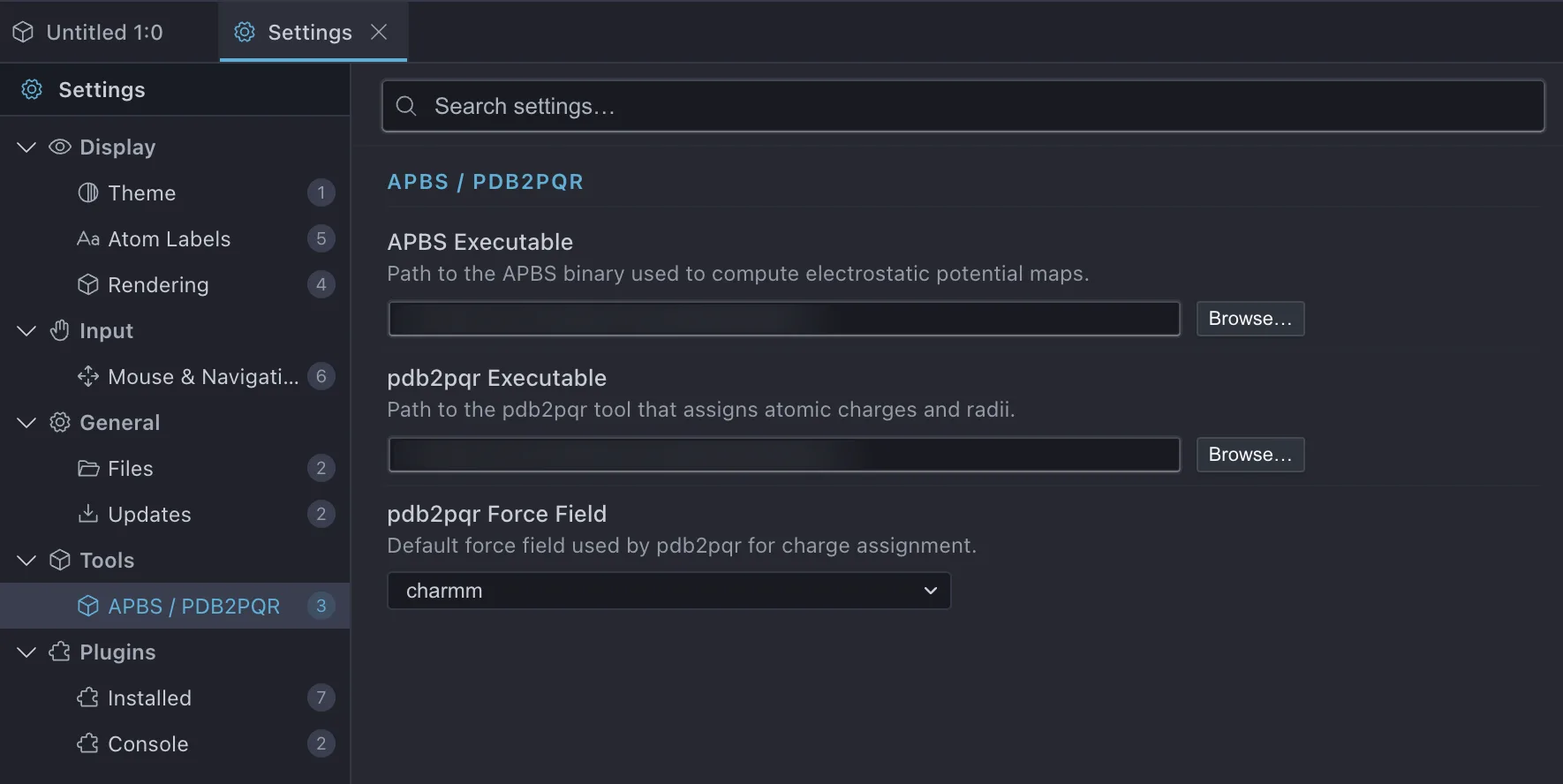
Tools > APBS / PDB2PQR
Used for the electrostatic potential map calculation (Tools > APBS elepot calculation...).
| Setting | Purpose |
|---|---|
| APBS Executable | Path to APBS itself |
| pdb2pqr Executable | Path to pdb2pqr (assigns charges and radii) |
| pdb2pqr Force Field | Default force field used by pdb2pqr |
Warning
If the paths to APBS and pdb2pqr are not set, the Start button in the APBS dialog cannot be pressed.
Specifying paths
Each input field has a file selection button. Use the button to choose a file (or a directory for POV-Ray Include Directory), or type the path directly. Settings are persisted in the application and kept the next time you start it.
What is bundled
| OS | ffmpeg / APBS and PDB2PQR / POV-Ray |
|---|---|
| macOS (CI build) | Bundled |
| Windows (CI build) | Bundled |
| Linux | Not bundled (install separately) |
| Builds you package yourself | May not be bundled, depending on how they were prepared |
Even if they are not bundled, the features work once you install the programs separately and set the paths above.
Umbreon is built into the library, so it is not listed in this table. With any OS distribution, ray tracing is available without additional installation.